 In a Minute Wassup
Face clear and front-facing
Look at the camera or slightly to the side. The close-up shows your face large.
Photo guide
Each photo decides one dancer. The center photo matters most, because the center person gets the close-up shot.
Updated
Look at the camera or slightly to the side. The close-up shows your face large.
Keep the top of the head in the photo; a waist-up photo also shows your outfit.
Daylight or soft indoor light, no hard shadows across the face.
Side dancers appear smaller, so the same rules apply but a little less strictly. One person per photo: crop a group photo down to the friend you want before uploading.
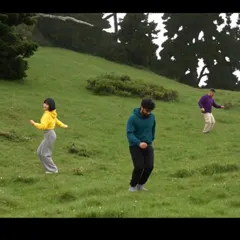
Leave a side empty if you do not have a good photo. Our fictional dancer stays in that place, as explained in how to make an In a Minute Wassup video.
Sunglasses, masks and hats over the face make the person hard to recognize.
A distant or out-of-focus face gives the model little to work with.
Beauty filters and drawn styles lose the details that make a face yours.
Adults only: yourself, or adult friends who agreed to be in the video. Photos of children and pets are not accepted.
Do not upload celebrities, public figures, strangers or anything sexual. Reported videos are reviewed and removed.
Add your photo here, plus up to two friends, and see the free preview. The full video is 14 seconds, vertical, with sound and no subscription.
Add your photo · friends optional
You dance in the middle. Empty spots keep our dancers.



Free preview first · pay $9.90 only if you like it
JPEG, PNG and WebP photos from your phone or computer. Large images are resized automatically.
Photo drafts are deleted after 24 hours. They go to the video provider only after you start generation.
Use one photo per slot, each showing one person. Crop the group photo three times if that is all you have.
inaminutewassup.video is an independent AI video service, not affiliated with TikTok or the creators of the In a Minute Wassup trend. Every video is AI-generated from photos their uploader is allowed to use.